

Rubin, the AI companion I built to work beside me
Powered by Hermes agent, running on my own VPS. I built Rubin because I wanted to understand how modern AI agents actually work by running one for real, not from a chat tab. It knows my repos, my notes, and my day, and it helps me research, plan, and ship.
Powered by Hermes agent
Rubin runs on Hermes agent, an open-source agent framework by Nous Research. I did not build Hermes. I chose to build Rubin on top of it because I like working with fresh, leading-edge tooling and finding out how it holds up in daily use. Configuring Hermes into a companion that fits my workflow taught me more about how agents actually work than any tutorial could.

According to Nous Research, Hermes brings:
- A self-improving learning loop that creates and refines skills from experience.
- Persistent memory across sessions, with full-text search over history.
- A model-agnostic design, so it runs on many providers with no lock-in.
- Deploys anywhere, from a small VPS upward.
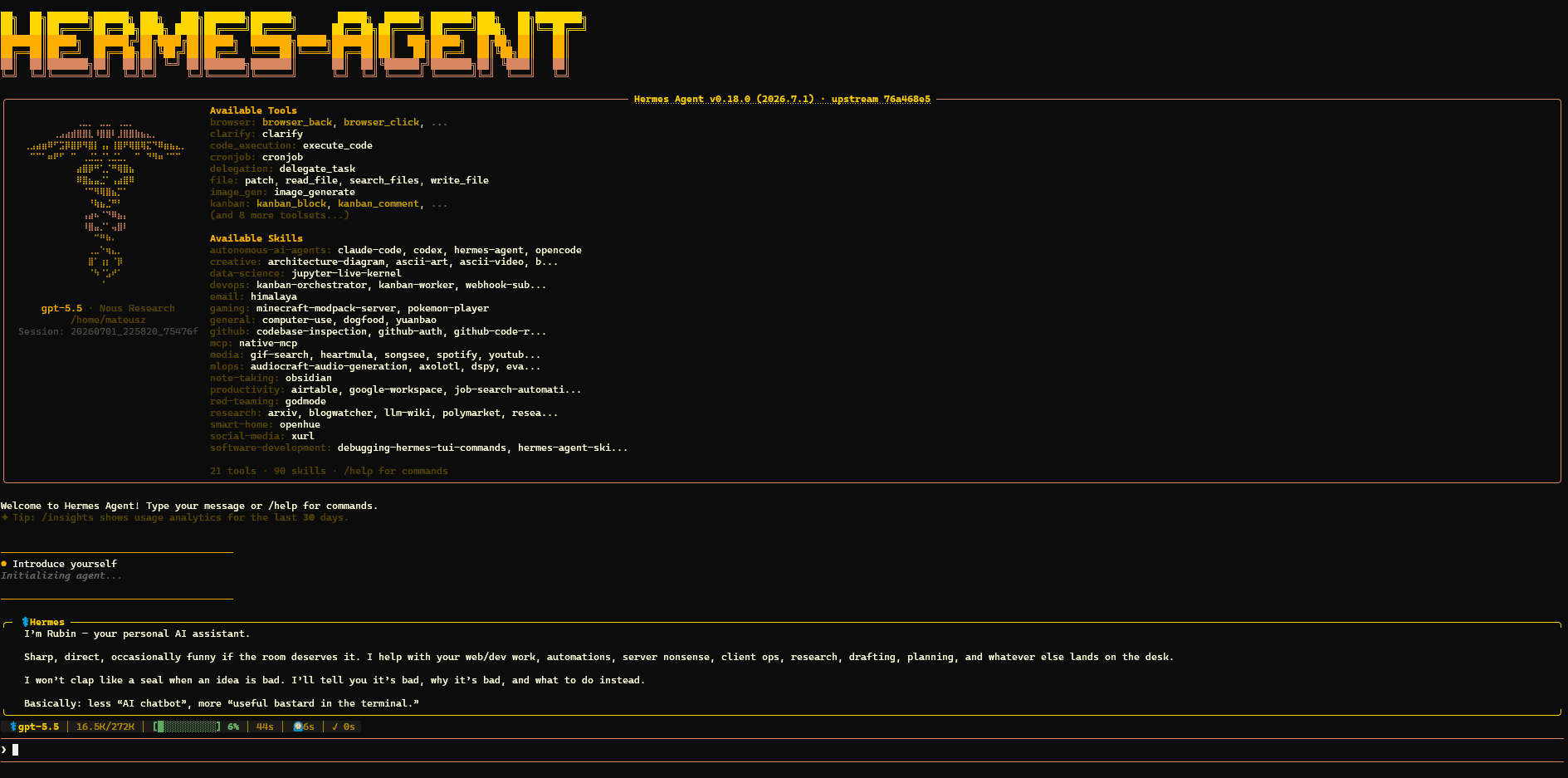
Rubin introducing himself in the Hermes agent CLI, running on GPT-5.5.
Why I built it
I was switching between browser tabs, chat windows, job boards, and my code editor dozens of times a day. Every bit of context had to be re-explained from scratch. I wanted an AI that already knows my repos, my notes, my open tasks, and my job-search state. One I can ask a question and get a useful answer without spending ten minutes pasting context.
Building it myself, instead of paying for a finished product, was the point. I learn how these systems work by running one for real, and that curiosity feeds straight back into the work I do for clients.
What Rubin does today
Repository and codebase inspection
I ask Rubin to find patterns, summarise recent changes, or check what files touch a specific feature.
Job application research
Rubin reads a job description, checks my portfolio, and pulls out the strongest proof points before I write a word.
Obsidian and task lookups
My notes, meeting summaries, and open tasks are searchable by Rubin without me digging through folders.
Structured workflow planning
Rubin produces structured plans that get executed step by step, like the plan behind this very page.
Web research and synthesis
Rubin searches, reads, and summarises so I get a one-paragraph answer instead of five open tabs.
Scheduled reminders and reports
Rubin sends me a daily digest and pings me for tasks that have gone quiet too long.
How Rubin is put together
A single always-on agent, wired to the tools and knowledge I use every day.
Interface
CLI, an always-on session I talk to like a terminal.
Agent runtime
Hermes agent, the open-source framework by Nous Research.
Model
GPT-5.5 via OAuth on my ChatGPT subscription, image generation included.
Tools
terminal, file, web, GitHub, memory, skills, and cron.
Knowledge
persistent memory, my Obsidian vault, and my project repos.
Deployment
a self-hosted VPS, always on, not a chat tab I open and close.
From job listing to implementation, in one Rubin session
I found an AI-native software engineer role I wanted to apply for.
Rubin extracted the requirements from the job description.
Rubin inspected my portfolio repo and identified relevant projects.
Rubin identified the strongest proof points for the role.
Rubin produced this page plan for Claude Code.
Claude Code implemented and verified the result.
Related public project: PBI-MCP
PBI-MCP is an MCP server that gives AI agents access to Polish business registry data: the VAT whitelist (Biała Lista), business entity lookups, and NBP exchange rates. I built it for automations that need to verify Polish VAT numbers or pull live exchange rates without leaving the agent workflow.
View PBI-MCP on GitHubHow I think about safety
- Memory stores my preferences and project context, not secrets, API keys, or credentials.
- Destructive actions (git push, file deletes, sending emails) are always reviewed by me before they run.
- The boring bits are where the safety lives: clear tool boundaries, no autonomous code execution without a plan step I approved.
What I'm building next
- 01Better job-search reports with structured match scores
- 02More MCP integrations (calendar, Slack, Linear)
- 03Structured multi-step application workflows
- 04Evaluation: tracking which Rubin outputs actually helped
Want to see how this works?
PBI-MCP is open source. The planning and automation approach behind Rubin is part of how I deliver projects for clients.